Altus Project
Overview
Project management guides a project through a visible set of activities, from controlled start-up, through delivery, to controlled closure, and review. Altus projects provides users with a comprehensive set of features to assist users in managing their projects, which are detailed below.
Dataverse Tables
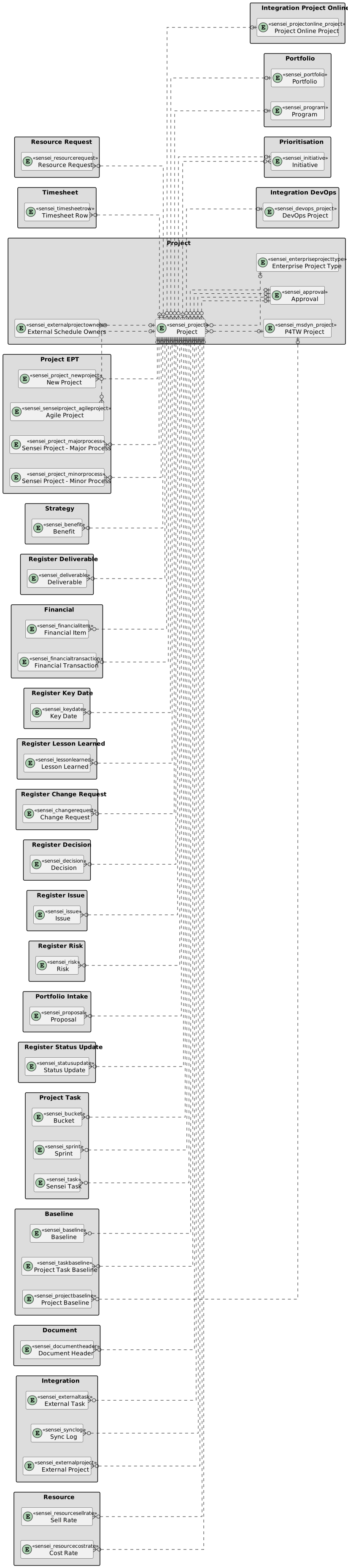
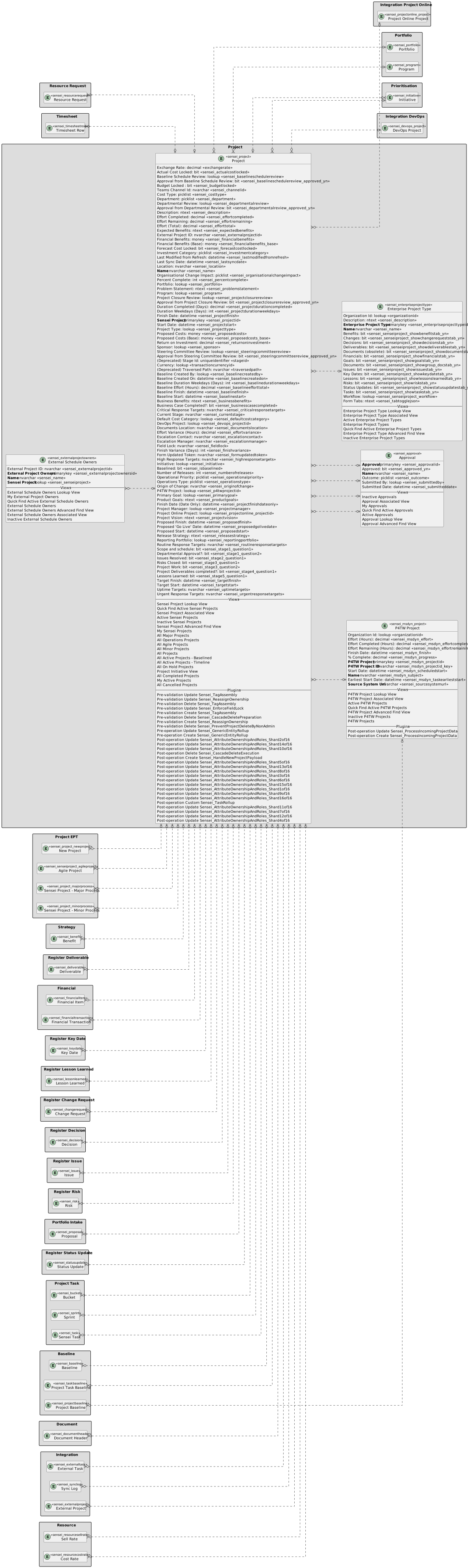
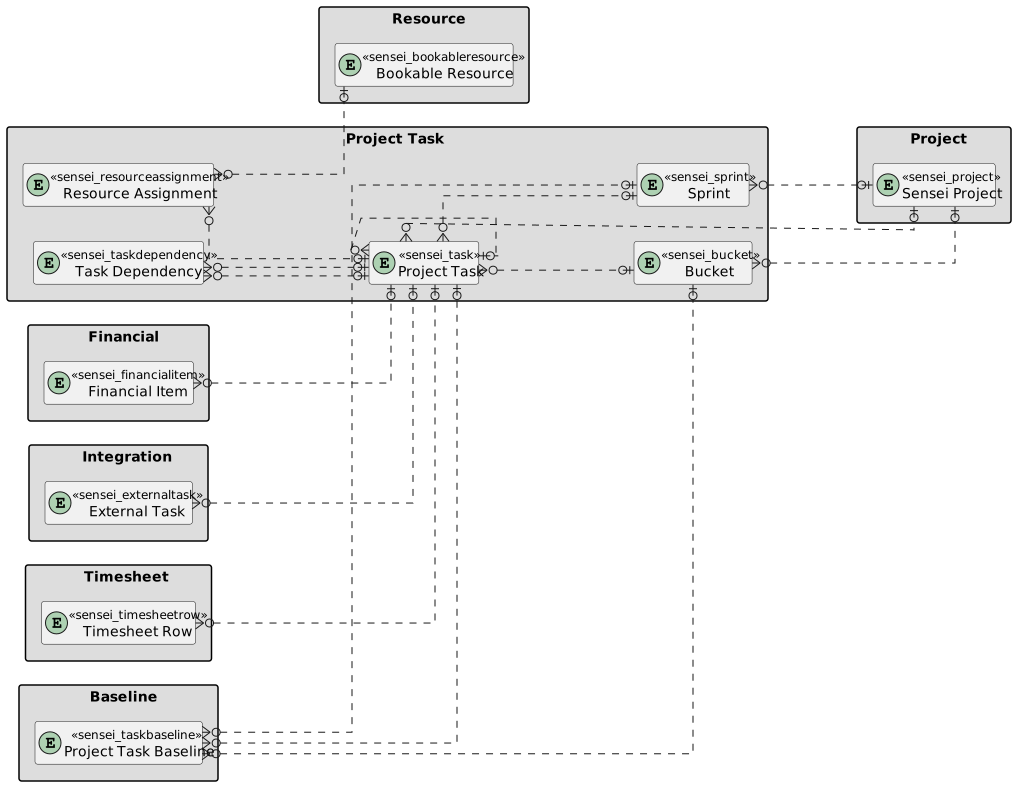
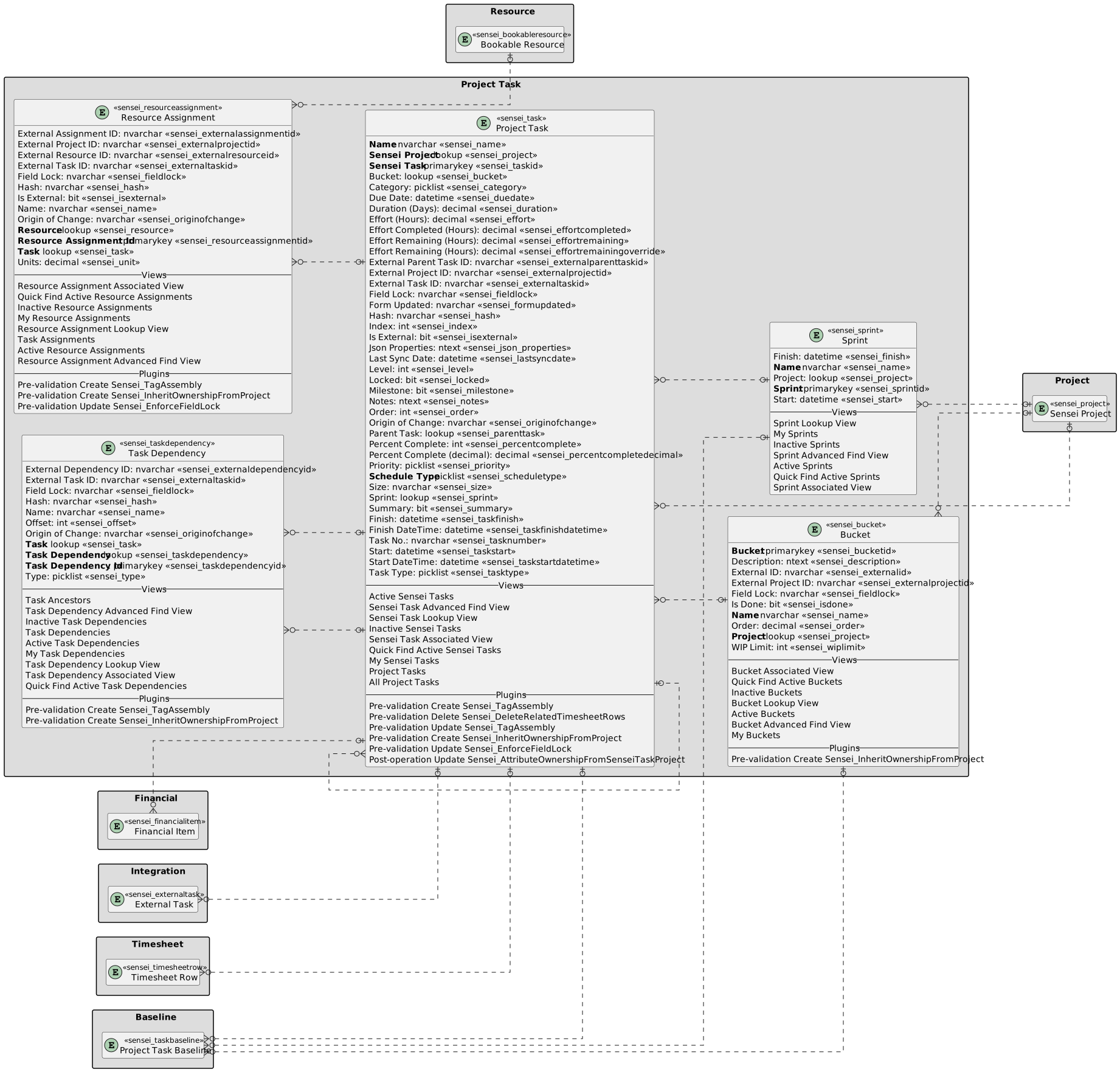
The diagram below covers off how projects relate to other objects in Altus. This is a summary of other information in this wiki. Please see the links below for more detailed data models.
| Table | Name |
|---|---|
| Project | sensei_project |
| Financials | sensei_financialitem and sensei_financialtransaction |
| Project | Project with fields |
|---|
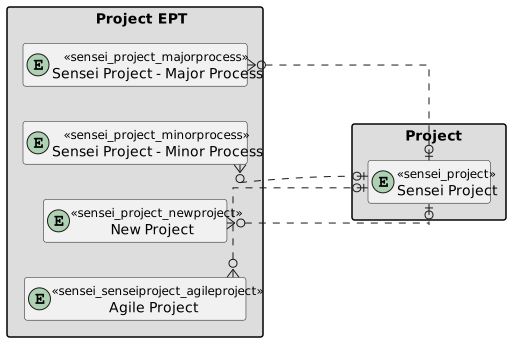
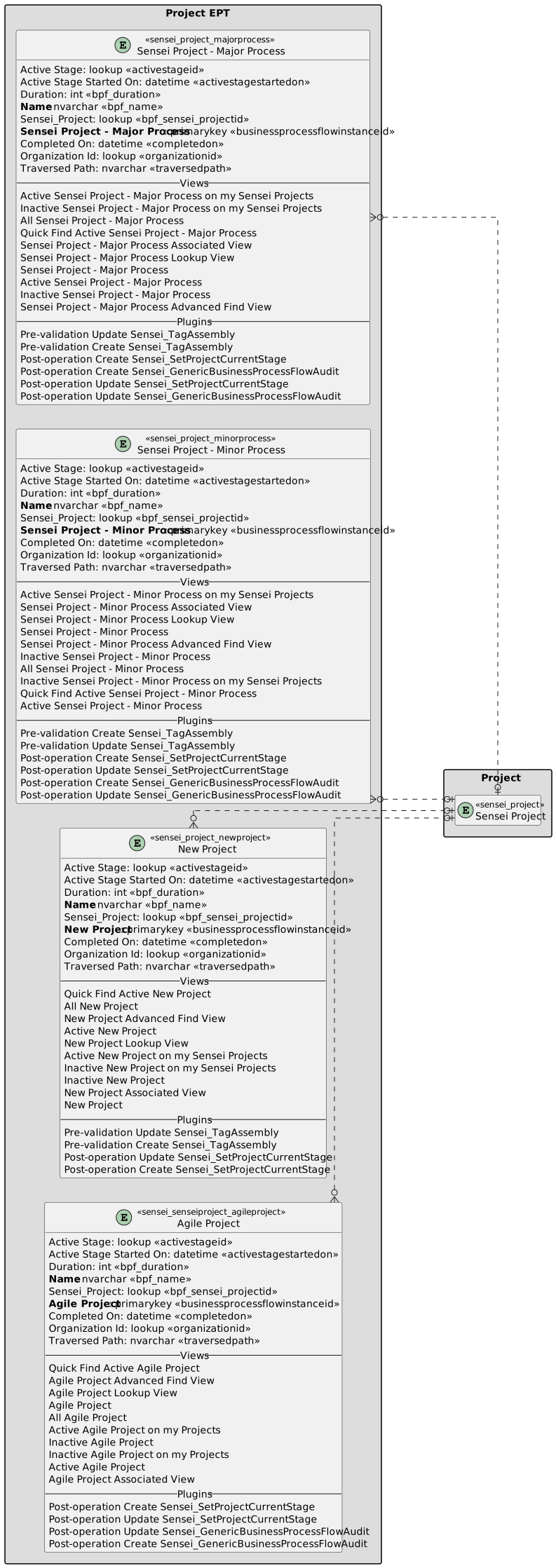
| Project EPT | Project EPT with fields |
|---|
| Project Task | Project Task with fields |
|---|
User Roles that have access
The list below are the user roles who have access to Projects and the level of access that they have:
| Security Role | Create | Read | Write | Delete | Append | Append To | Assign | Share |
|---|---|---|---|---|---|---|---|---|
| Altus - PMO User |  |
|
|
|
|
|
|
|
| Altus - Portfolio Manager |  |
 |
|
|
|
|
|
|
| Altus - Portfolio Manager - Team | |
|
|
|
|
|
|
|
| Altus - Program Manager | |
|
|
|
|
|
|
|
| Altus - Program Manager - Team | |
|
|
|
|
|
|
|
| Altus - Resource Manager | |
|
|
|
|
|
|
|
| Altus - Strategy Executive | |
|
|
|
|
|
|
|
| Altus - Timesheet Manager | |
|
|
|
|
|
|
|
| Altus Admin User | |
|
|
|
|
|
|
|
| Altus Portfolio User | |
|
|
|
|
|
|
|
| Altus Project Executive | |
|
|
|
|
|
|
|
| Altus Project User |  |
|
|
|
|
|
|
|
| Altus Strategy User | |
|
|
|
|
|
|
|
Legend
 Organisation / Global
 Business Unit / Local
 User / Basic
 None
None
For details see Application Security.